MK All in
One Tool
Dominate every match with buttery-smooth 120 FPS, crystal-clear Ultra HD graphics, and the competitive edge of iPad View. Built for serious players who refuse to settle for lag, blur, or clunky setups. One tool. Zero hassle. Maximum performance.
What's Included
256-bit encrypted checkout via SellApp
Features
Everything You Need to Dominate
If you want a smoother and more enjoyable experience in PUBG Mobile, MK All in One is the powerful tool designed to improve game performance and reduce lag, so you can play the game at its best.
Reduce Lag & Speed Up Gameplay
The tool optimizes game performance by reducing lag and increasing responsiveness, making your gaming experience smoother and faster.
Unlock 120 FPS
Play the game at up to 120 frames per second for super-smooth movements and quicker reactions during battles.
High-Quality Graphics
Enjoy sharp, high-resolution visuals that enhance every detail in the game. See enemies before they see you.
iPad View Mode
Add a unique iPad-like view for wider screen dimensions, giving you better visibility during matches.
Auto Button Adjustment
When you enable the iPad view, the tool automatically adjusts the control buttons to fit the new screen size—no need to set them up manually.
Extra Features & Options
Additional options like improving system performance, reducing resource usage while playing, and providing advanced settings for all player needs.
Backup Game Files
Easily create a backup of all game files, including the APK file, and store it safely. Restore it later if you reinstall Windows or face other issues.
Install APK Files
Install external APK files (like Twitter or other apps and games) directly onto the emulator quickly and easily.
Move Game Temp Files
Transfer the game's temp files from one drive to another effortlessly to free up space on your main drive.
Game Shortcut on Desktop
Create a desktop shortcut for PUBG Mobile with its own icon, so you can launch it directly without opening the emulator manually.
Completely Uninstall Emulator
Fully uninstall the GameLoop emulator, including all hidden or leftover files, ensuring a clean removal from your system.
Performance Dashboard
Your command center for peak performance. Toggle 120 FPS with one click, switch between graphics presets, optimize input delay to 0ms, and monitor your system resources in real-time.
Smart File Manager
Never lose your progress again. One-click backup and restore, drag-drop APK installation, seamless game data migration, and automated temp file cleanup that frees up gigabytes.
Pro Settings Panel
Unlock the same competitive advantages the pros use. iPad View for wider FOV, custom sensitivity profiles for perfect aim, and auto DPI scaling for pixel-perfect controls.
Preview
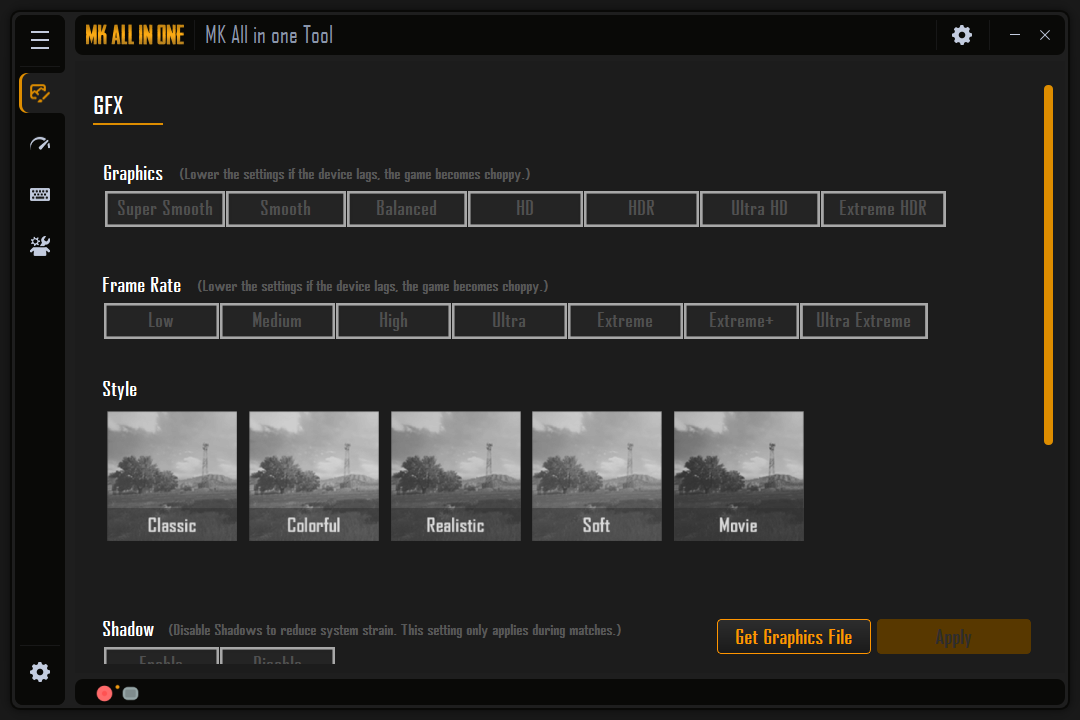
See the Interface
A clean, intuitive interface designed for speed and simplicity. Every feature is just one click away.
Why Choose Us
Why You Need This Tool
This tool is perfect for PUBG Mobile fans who want better performance, smoother gameplay, and a hassle-free gaming experience!
To fix performance issues or reduce lag while playing
To improve your reaction time and increase your chances of winning
To enjoy better graphics and a smoother, more competitive gaming experience
Process
From Purchase to Running in 60 Seconds
Complete Checkout
Visit the SellApp store, select MK All in One, and complete payment. All major cards and methods accepted.
Instant Credential Generation
Our system receives the payment webhook and immediately generates a unique username and encrypted license key for you.
Delivery to Your Discord Ticket
Credentials and your professional PDF invoice are delivered to a private support ticket in our Discord server.
Activate & Optimize
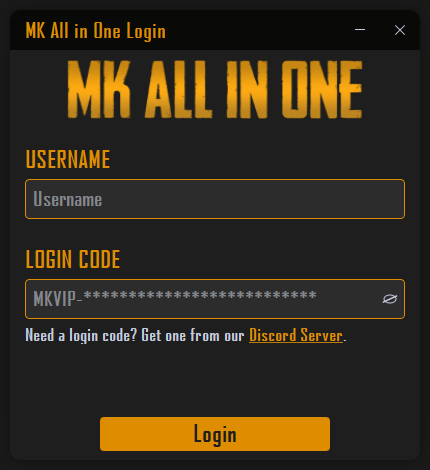
Launch the tool, enter your username and license code, then apply your preferred FPS, graphics, sensitivity, and file-management settings in minutes.
FAQ
Common Questions
Can I use my license on more than one machine?
Each license is locked to a single hardware profile. If you need to transfer to a new machine, contact support in our Discord and we'll assist you.
Does iPad View mode change my controls automatically?
Yes. When iPad View mode is enabled, control buttons are auto-adjusted for the new aspect ratio so you can start playing immediately.
Can I back up and restore game files?
Yes. Use the built-in File Manager to back up game files and APKs, then restore them later after reinstalling Windows or moving systems.
How quickly will I receive my credentials?
Typically within seconds of payment confirmation. The entire process is automated — no human approval required.
What payment methods are accepted?
All major credit and debit cards, as well as other methods supported by SellApp at checkout.
Do updates cost extra?
No. All future updates are included with your one-time purchase for the lifetime of the product.
I didn't receive my credentials — what do I do?
Open a support ticket in our Discord server. Include your order ID and email address and we'll resolve it immediately.
Ready to Level Up?
Stop playing at a disadvantage. Get instant access to the same tools that serious players use to dominate their matches. One purchase, lifetime access, zero regrets.